How to Fix Lower Back Pain From Sitting: 7 Practical Steps
Share
Lower-back discomfort after a long day at a desk is common, but there is rarely one “perfect” posture or one product that fixes every cause. A more useful approach is to improve the whole sitting setup: support the body, remove obvious pressure points, change position regularly and get individual advice when symptoms persist.
This guide gives you a practical, evidence-informed checklist. It is general information, not a diagnosis or a substitute for care from a qualified health professional.
Why can your lower back hurt after sitting?
Long, uninterrupted periods in one position can leave the back feeling stiff or uncomfortable. A 2025 review of office-worker research found that the relationship is not as simple as “sitting causes back pain”: total sitting time, posture, the number of breaks and how static the sitting is may all matter. Older research also cautions that occupational sitting on its own has not been proven to cause every case of lower-back pain.
That matters because the answer is usually not to force yourself into one rigid position all day. Your chair, desk, screen, movement habits, activity levels and individual health can all influence how you feel.
1. Start with your feet and chair height
Place both feet flat on the floor, with your thighs supported and your shoulders relaxed. If your feet do not reach comfortably, try a footrest. Adjust the chair so your keyboard is around elbow height rather than lifting your shoulders or reaching down.
The UK Health and Safety Executive recommends a small gap between the front edge of the seat and the back of the knees. This helps avoid pressure behind the legs. If a seat cushion raises you, repeat the chair-height check afterwards.
2. Support the lower back without overcorrecting
A chair back or separate support can fill the natural space behind the lower back. The aim is comfortable contact—not pushing the spine into an exaggerated arch. Start with the support low, around the belt-line area, then move it slightly until it feels natural.
Cambridge University Hospitals advises that a backrest should support the natural curves of the spine. A small rolled towel can be a useful way to test the position before choosing a dedicated back support cushion.
3. Check the seat depth and pressure points
A seat that is too deep can pull you away from the backrest. One that is too hard, sagging or uneven can feel uncomfortable beneath the sitting bones or tailbone. Sit fully back, keep a small gap behind the knees and notice whether your weight feels balanced left to right.
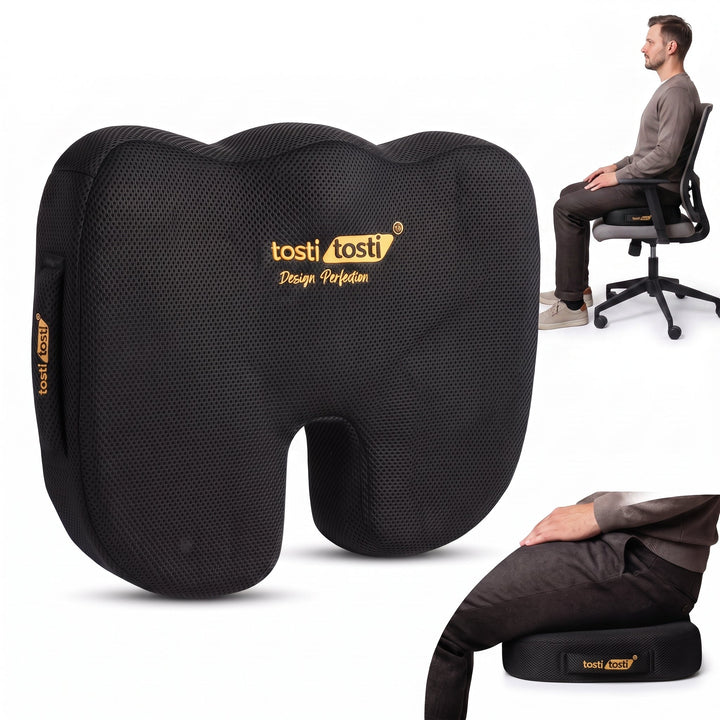
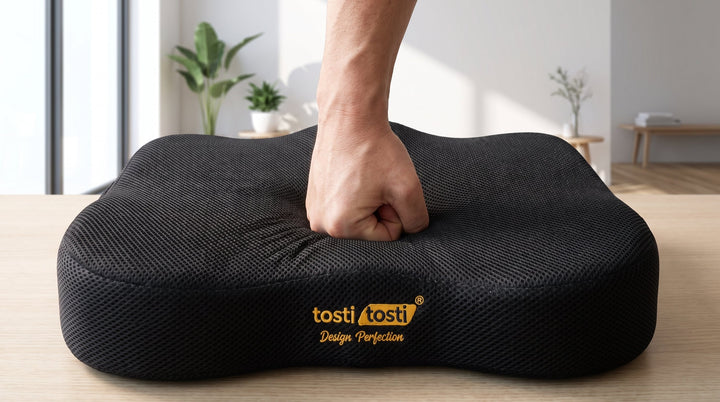
A supportive seat cushion may make a firm or poorly padded chair more comfortable, but it should not leave your feet dangling, raise your knees into the desk or make safe driving controls harder to reach.
4. Raise the screen and bring the keyboard closer
Place the screen directly in front of you, roughly an arm’s length away, with the top near eye level. Bring the keyboard and mouse close enough that your elbows stay near your body. For prolonged laptop work, a separate keyboard and mouse let you raise the screen without reaching upwards.
This does not directly “treat” the lower back, but it can reduce the need to lean, twist or curl forwards for hours.
5. Make movement breaks part of the setup
The best-supported theme in both recent Reddit discussions and workplace guidance is not a magic chair—it is interrupting long, static periods. A systematic review found moderate-quality evidence that active breaks with a change of posture may reduce pain or discomfort, without harming productivity.
There is no universal timer that suits everyone. A practical starting point is to change position every 30 to 60 minutes: stand, walk to another room, refill your water or perform a gentle movement that feels comfortable. Short and repeatable is often easier to maintain than one long stretch at the end of the day.
6. Build activity gradually
General NHS guidance encourages people with uncomplicated back pain to keep moving and change position regularly rather than relying on long periods of bed rest. Walking and appropriately graded exercise can be useful, but the right amount depends on the person and the cause of the symptoms.
If an exercise repeatedly worsens pain, stop guessing and ask a physiotherapist, GP or other qualified clinician for individual guidance.
7. Test one change at a time
Changing your chair, desk, cushion, screen, keyboard and routine on the same day makes it hard to know what helped. Instead, keep a simple seven-day note:
- How long you sat before discomfort started
- Where you felt it
- Which support or chair setting you used
- How often you changed position
- Whether symptoms settled after moving
This is not a diagnostic test. It is a way to make your setup more deliberate and give a clinician clearer information if you need help.
A five-minute workstation checklist
- Feet supported and thighs comfortable
- A small gap behind the knees
- Lower back in comfortable contact with support
- Screen centred and near eye level
- Keyboard and mouse close to the body
- No wallet, phone or uneven object under one side
- A realistic reminder to change position
If both the seat and backrest need help, a combined seat and back support setup can be easier to balance than adjusting one area in isolation.
When should you get medical help?
Speak to a health professional if pain is severe, keeps returning, is getting worse or is not improving. Seek urgent medical assessment for new bladder or bowel problems, numbness around the genitals or bottom, rapidly worsening weakness, difficulty walking, symptoms in both legs, significant trauma, fever or other concerning symptoms.
Frequently asked questions
Is there one perfect sitting posture?
No single position is comfortable for everyone all day. A well-adjusted posture is a useful starting point, but regular changes of position are also important.
How often should I stand up?
There is no single medically proven interval for everyone. Try a brief position change every 30 to 60 minutes and adjust the routine to your comfort, work and professional advice.
Can a cushion cure lower-back pain?
No. A cushion can alter support, height and pressure distribution and may improve comfort, but it does not diagnose or cure the many possible causes of back pain.
Should I use seat support, lumbar support or both?
Choose based on where your chair falls short. A flat, hard or sagging seat may benefit from seat support; a backrest that does not meet the lower back may benefit from lumbar support. Recheck your chair height and reach after adding either one.
Sources and further reading
- Health and Safety Executive: good posture with display screen equipment
- Cambridge University Hospitals: seating and ergonomics
- 2025 scoping review: sitting behaviour and low-back pain in office workers
- Systematic review: work breaks and low-back discomfort
- Cambridge University Hospitals: back pain and urgent warning signs
Last reviewed: 19 August 2026.