How to Sit Comfortably for Long Hours: An Ergonomic Checklist
Share
By the TostiTosti Editorial Team
Long hours at a desk can make even a good chair feel uncomfortable. The answer is rarely one “perfect” posture. A better approach is to create a supportive setup, notice pressure early and change position regularly.
This practical checklist is designed for everyday comfort. It is general information, not medical advice. Persistent or severe pain should be discussed with a qualified healthcare professional.
1. Start with your feet
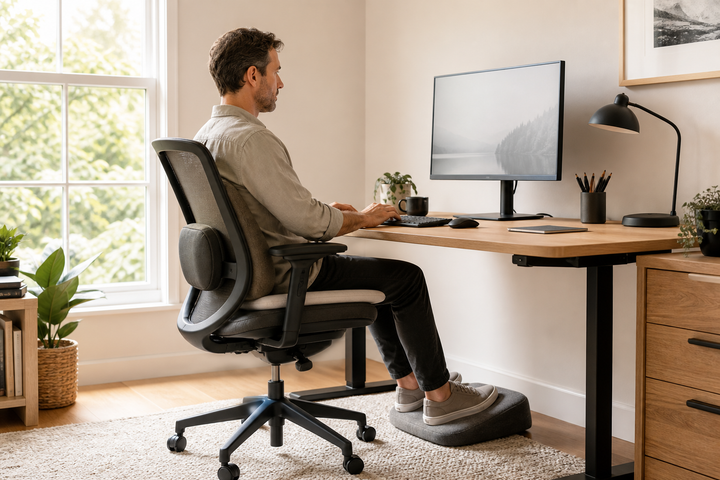
Place both feet on the floor or on a stable footrest. Aim for a position where your thighs feel supported without pressure building behind the knees. If your chair is too high, a footrest can make the whole workstation feel more balanced.
2. Sit back into the chair
Move your hips towards the backrest instead of perching on the front edge. A supportive backrest—or a correctly positioned lumbar support—can help you maintain a comfortable, neutral position without constantly bracing your muscles.
3. Keep the screen in front of you
Position your main screen centrally so you are not repeatedly twisting your neck or torso. Set it far enough away that text is easy to read without leaning forward. If you use a laptop for long periods, consider a separate keyboard and mouse so the screen and hands can be positioned independently.
4. Let your shoulders relax
Keep frequently used items within easy reach. Your elbows should feel comfortably supported and your shoulders should not be pulled upwards. Small changes to desk or chair height often make a noticeable difference.
5. Treat movement as part of the setup
No cushion or chair removes the need to move. The UK Health and Safety Executive advises short, frequent breaks and changes of activity for display-screen work. Stand, walk, stretch or complete a different task before fatigue builds.
6. Use support to improve comfort—not to lock yourself in place
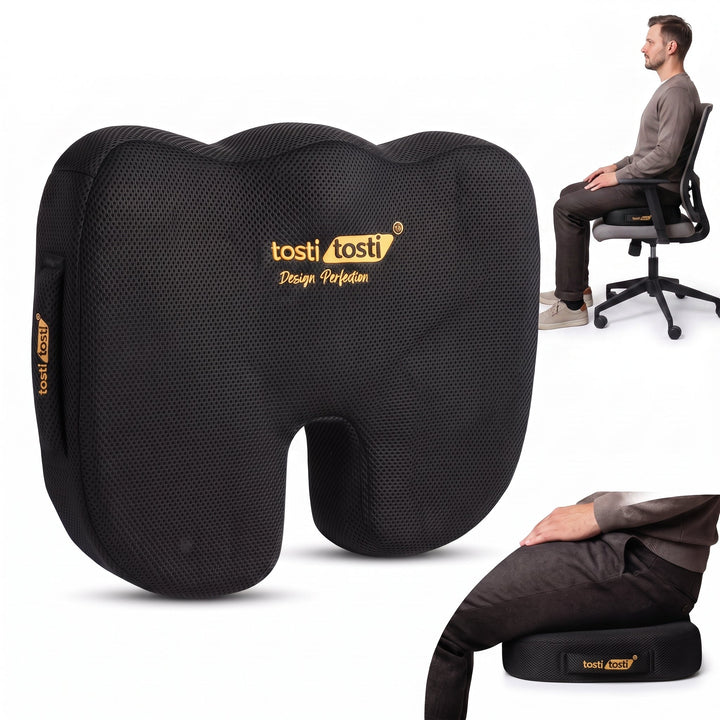
A seat cushion can change how pressure is distributed across a firm or worn chair. A back-support cushion can add contact where the chair does not naturally meet your lower back. The right support should feel stable and comfortable while still allowing you to shift position.
A two-minute comfort check
- Are both feet supported?
- Are your hips back in the chair?
- Is your main screen directly ahead?
- Are your shoulders relaxed?
- Can you change position easily?
- Have you moved within the last hour?
If several answers are “no”, change one thing at a time and reassess after a few minutes. Comfort is personal, and gradual adjustments are easier to evaluate than changing the whole workstation at once.
Build a repeatable routine
Start each work session by adjusting the chair, screen and support. Add movement reminders to your calendar and reset the workstation whenever someone else has used it. A consistent routine is more useful than chasing a single ideal posture.
Explore ergonomic support: compare the TostiTosti seat cushion, back-support cushion and seat and back-support bundle.