Office Chair Too Deep? A Cushion Fit Guide for Shorter Adults
Share
By TostiTosti · Sources checked 20 September 2026
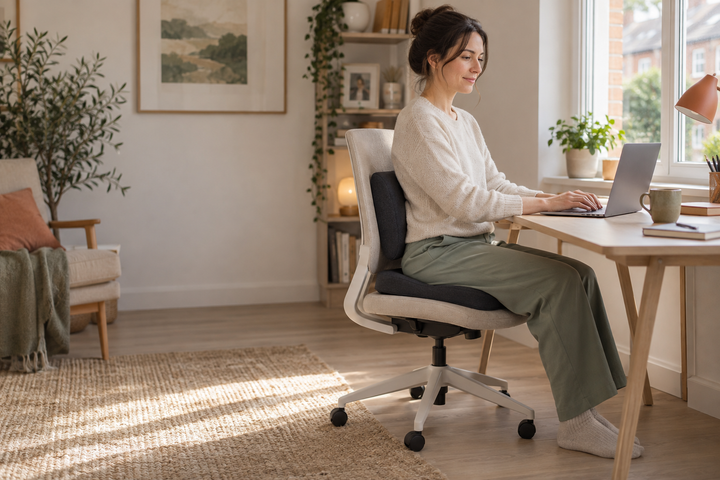
Quick answer: If your office chair is too deep, try its seat-depth adjustment before adding a cushion. A back cushion can bring the supporting surface closer, but a seat cushion mainly changes your sitting height. For shorter adults, the right combination must let your back rest comfortably, leave space behind your knees and keep your feet supported.
You move backwards to reach the backrest and your feet lift. You shuffle forwards to plant your feet and lose back support. If that sounds familiar, the issue may be the chair's dimensions rather than your ability to sit properly.
This guide is for shorter adults using a deep office chair at home or at a shared desk. It explains how to separate a depth problem from a height problem, and how to decide whether a lumbar cushion, seat cushion, footrest or different chair is the useful next step.
Is your office chair too deep, too high, or both?
Seat depth is the usable distance from the back support to the seat's front edge. Seat height is the distance from the floor to the surface you sit on. They can cause similar frustrations, but adding padding underneath you does not shorten the seat.
Start with the chair's controls. Some seats slide forwards and backwards; others have a backrest that moves. Check the manufacturer's instructions because a lever that looks like a depth control may operate the tilt lock instead.
| What you notice | What to check first | What extra padding could change |
|---|---|---|
| The front edge reaches the backs of your knees when you sit back. | Reduce usable seat depth if the chair allows it. | A back cushion takes up some depth; a seat cushion does not automatically solve it. |
| Your feet lose support when your hands are at a comfortable typing height. | Check desk height and whether a stable footrest is needed. | A seat cushion can raise you further from the floor. |
| Your feet are supported, but the backrest does not meet your lower back. | Adjust the backrest and built-in lumbar support. | A compatible lumbar cushion may fill the remaining space. |
| The chair fits, but the seat surface feels uncomfortable. | Check the seat condition and how the discomfort changes during the day. | A seat cushion changes the contact surface, but also changes height and clearance. |
A chair-fit check for shorter desk users
Do this in your usual work shoes, at the desk you actually use. A chair that feels comfortable away from the desk can become awkward when you reach for a keyboard.
1. Set the working height
Adjust the chair so you can use the keyboard with relaxed shoulders. Then check the screen and mouse position. HSE's DSE workstation checklist treats the chair, working surface and screen as one setup, including whether chair arms prevent you getting close enough.
2. Check your feet
If the desk requires a higher sitting position than your legs comfortably reach, consider a stable footrest. Do not lower the chair so far that you then have to lift your shoulders to type. HSE's DSE guidance explains that footrests may be needed when a fixed work surface prevents a suitable chair-and-floor relationship.
3. Check the front edge
With your back supported, look for clearance behind your knees. HSE's workstation setup guide illustrates a gap of about 2–3 cm. Treat that as a starting guide, not a reason to hold an uncomfortable position. You should be able to move naturally.
4. Try one change at a time
Adjust the seat depth before adding a back cushion. If you add a cushion, repeat the feet, knees and desk checks. Record which change helped instead of stacking several accessories and guessing what caused the difference.
Back cushion, seat cushion or a different chair?
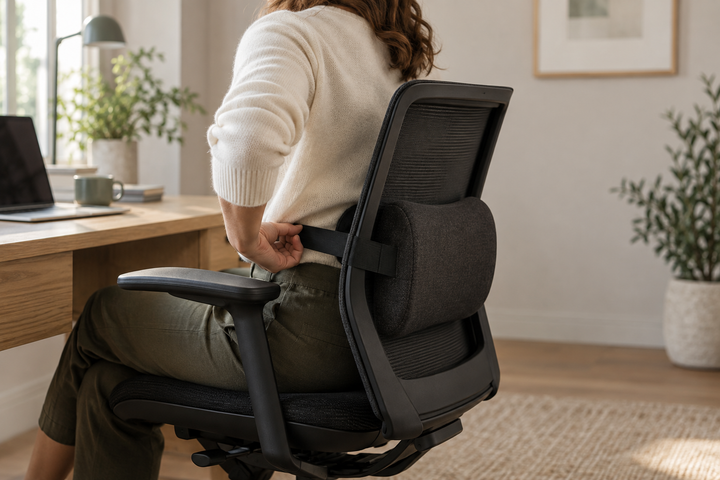
A lumbar support cushion sits between you and the backrest. It may make a deep seat feel less deep because you sit further forwards. That only helps if the remaining seat supports you comfortably and the cushion stays in position. More thickness is not automatically better.
A memory foam seat cushion goes underneath you. It can change comfort on the sitting surface, but it also raises your position by an amount that depends on compression. Recheck feet, desk height, armrests and thigh clearance after adding it.
A different chair is the sensible choice when the existing one cannot accommodate your proportions. If the seat remains too deep at its shortest setting, or a back cushion leaves you perched near the edge, more accessories may be the wrong solution. See HSE's Seating at work guidance for the wider fit considerations.
For a broader comparison, read seat cushion versus lumbar support.
Measure the chair before buying a cushion
Make a quick note of the usable seat width, usable depth at its shortest setting, clearance beneath the desk and the available backrest area. Measure the space between armrests, not just the chair's widest outer points. Check where a strap would sit and whether it would interfere with a lever or moving mechanism.
For comparison, the published TostiTosti Seat Cushion dimensions are approximately 44.5 × 36.8 × 6.4 cm. The TostiTosti Back Support Cushion is approximately 50.8 × 40.6 × 10.2 cm. These are product dimensions, not the height or depth they will add under your body weight.
Neither product should be assumed to fit every petite chair. In particular, a small backrest or narrow seat may need a smaller accessory. Compare the dimensions and positioning instructions before choosing.
If you work for an employer, raise the fit problem with your DSE assessor. HSE says a workstation assessment should consider the person, equipment and task, and should be revisited when users report discomfort. Its assessment guidance applies to the whole setup.
Questions shorter desk users ask
Will a thick seat cushion stop my feet dangling?
Usually it moves you higher, so it can increase the distance to the floor. Check the desk-and-chair relationship first; a footrest may be the relevant accessory.
Can I use a lumbar cushion to make the seat shorter?
It can reduce the space between your back and the chair's front edge. That is useful only if it also provides comfortable support and leaves enough sitting area. It is not a substitute for a chair that fits.
Should shorter people buy both cushions together?
Only if each solves a separate fit or comfort problem. Start with the adjustment you need, then reassess. Our office-chair cushion guide covers the seat-cushion decision in more detail.
What if changing the setup does not help?
Ask for a workstation assessment and seek health advice for persistent or worsening symptoms. This is general fitting information, not a diagnosis or personalised treatment plan.
About this guide: Created for TostiTosti with AI assistance using the linked HSE guidance and published product specifications. TostiTosti sells the cushions linked here. No clinical review or original product trial is claimed. The hero image is an AI-generated editorial illustration, not a customer photograph or a technical fitting diagram.